Remote control AI coding agents from anywhere.
Run Claude Code, Codex, and other agents on your computer. Check progress, answer questions, and keep working from your iPhone or iPad.
Install the mobile app and the computer companion to connect.
Download the computer companionmacOS · Windows · LinuxHow it works
Your computer runs the task. You stay connected.
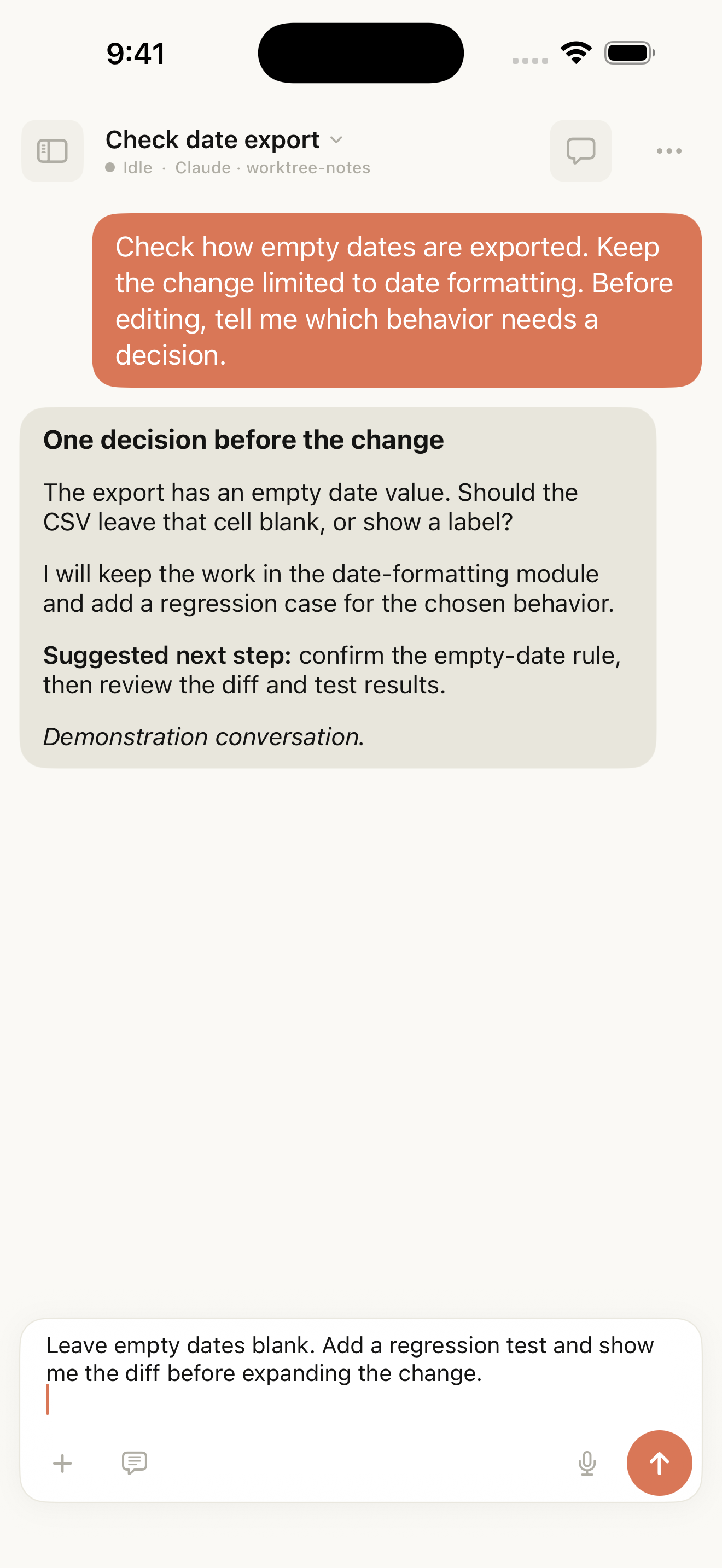
Your Agents work on your computer. Tactic Remote brings their progress—and the decisions they need from you—to the screen at hand.
Set up your development computer
macOS · Windows · Linux
Install the companion for your system. Keep your existing projects, tools, and Agent sign-in. Leave this computer awake and online for remote access.
Get the computer companionPick up your iPhone or iPad
iPhone & iPad
Check a session away from your desk, answer your Agent, and send the next request.
Get the iOS appBind your computer. Pick up your work.
On the same network, scan the connection code. With Windows 1.10, you can also bind your PC to your Tactic account, enable Relay, and select that online computer on your phone.
Keep work moving
A different screen. The work continues.
Open the file. See the details.
Read the code your Agent inspected. Check the context before deciding what comes next.
Keep useful commands close.
Choose a command or saved prompt. It goes into your draft, ready to review before you send.
The terminal is a tap away.
Read build output and enter commands, with arrow keys, Enter, and Esc within reach.
Actual product interfaces, shown with sample projects and conversations.
Your development environment stays yours.
Windows connection guideWork runs on your computer
Agent processes, projects, and tools stay on the host computer. Your iPhone and iPad provide remote access.
End-to-end encryption with Tactic Relay
For Relay connections, terminal and file-transfer content is encrypted and decrypted at the endpoints. The relay forwards encrypted data.
Use your existing Agent accounts
Your Tactic account handles computer binding and connections. Claude Code, Codex, and other tools use the accounts configured on your computer.
Start from the screen at hand.
Set up the computer companion, then connect from your iPhone or iPad. Start with a project you know.
Get the macOS, Windows, or Linux companionFrom Tactic Remote
What’s new. What’s possible.
Frequently Asked Questions
Got questions? We’ve got answers.