News
Tactic Remote 1.13: preview the website your agent is building
The agent says the page is running on localhost. 1.13 lets you open it from your phone, check it at phone or desktop width, and share it with a link that expires.
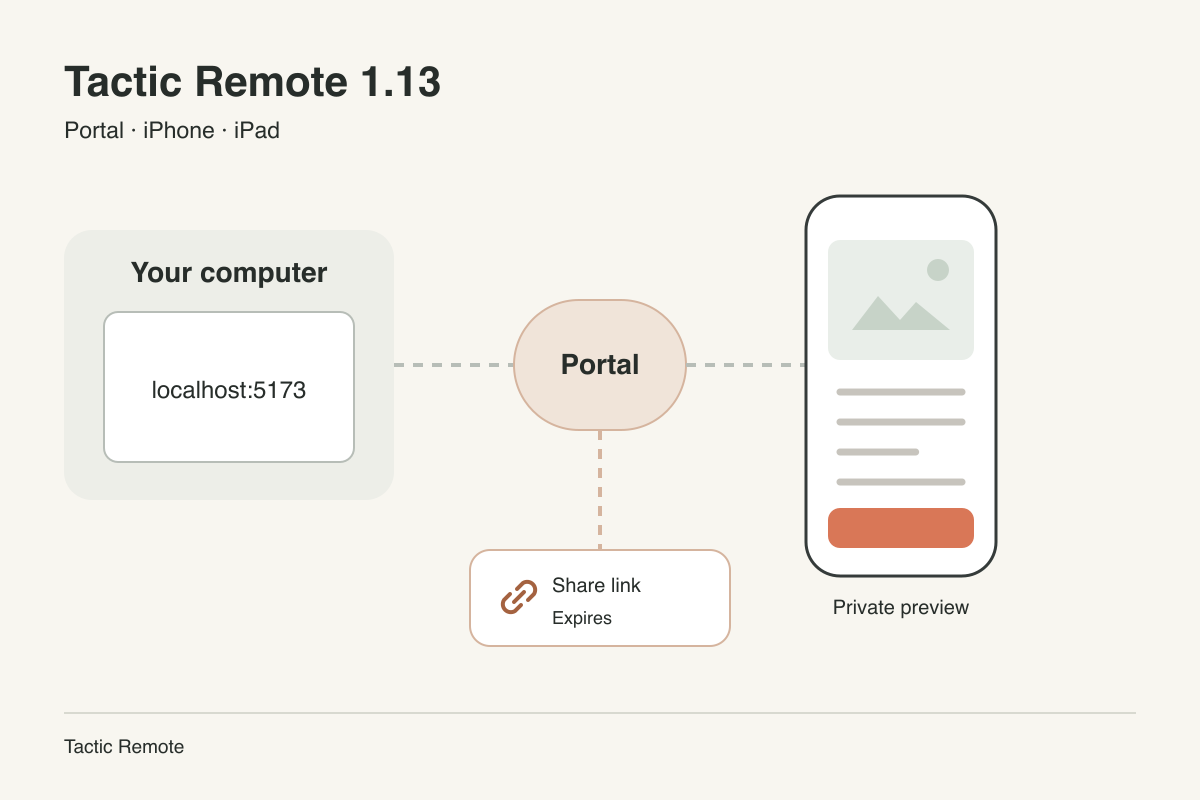
Availability — 2026-10-31: iPhone and iPad 1.13, Mac 1.13 and Windows 1.13 Preview are available. CLI and Homebrew remain at 1.12. Automatic website detection, share links and reconnection require Mac 1.13 or Windows 1.13 Preview; the current CLI still supports private previews.
A coding agent often finishes with a line like “the page is running at http://localhost:5173.” On the computer that is one click. On a phone, localhost points at the phone itself, so the link leads nowhere, and checking the result has meant walking back to the desk.
Tactic Remote 1.13 adds Portal for that moment. It opens the website running on your computer inside the iPhone and iPad app, and when someone else needs to see it, it can create a share link that expires on its own.
Open the page from the reply
When the agent’s reply contains a local website link, Tactic Remote asks your connected computer whether that website is actually running for the current project. If it is, an Open private preview button appears below the reply. The check only reads which local ports belong to the project; it does not start a preview or share anything.
You can also start from the Portal page. It lists the websites the computer found, marks the one that matches the current project, and lets you enter a port yourself when needed.
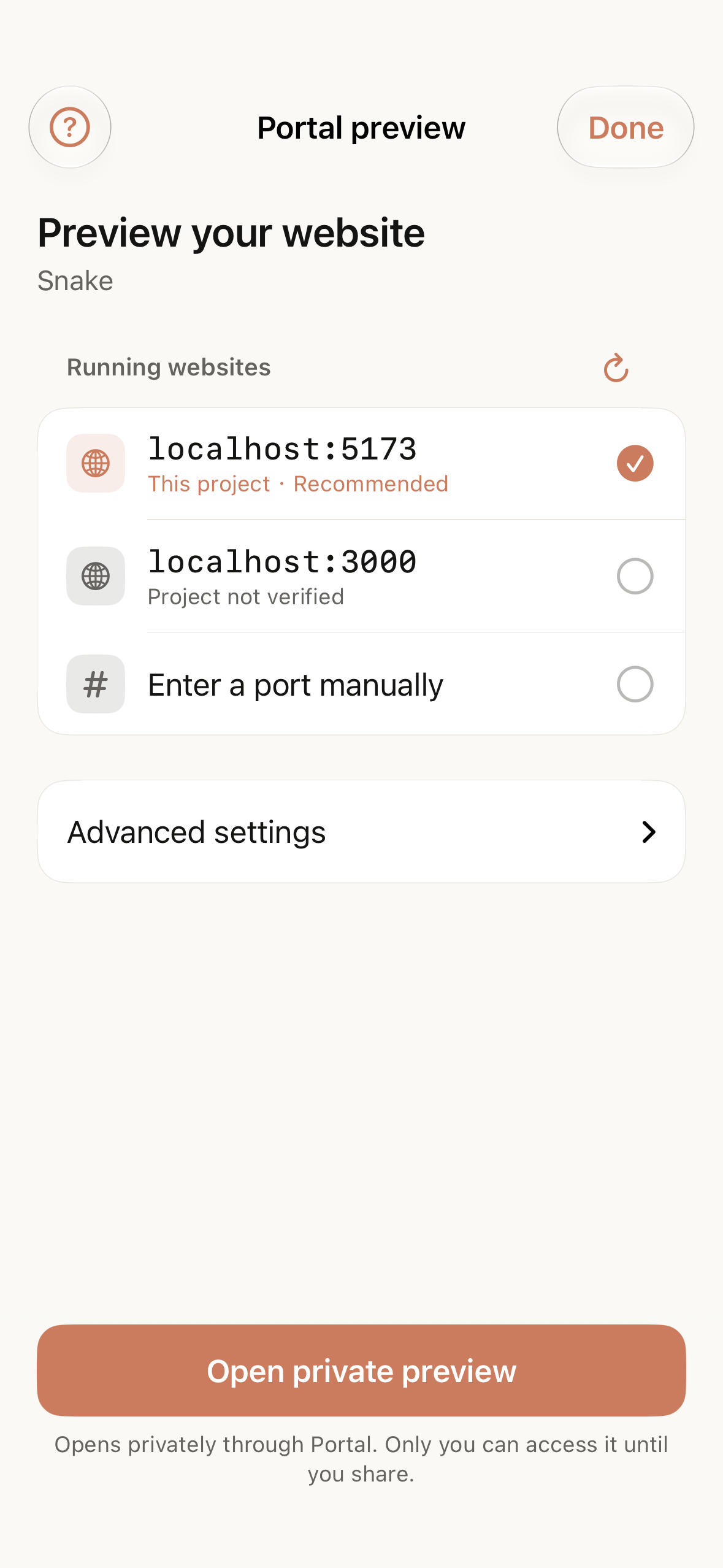
Portal’s website list in the iOS simulator. The project, ports and website are sample data.
A private preview stays private
A preview opens in the app through Tactic’s Portal gateway, signed in to your account. The gateway relays the page from your computer; the computer connects outward and does not need to accept incoming connections. Until you share it, no one else can open the preview.
Preview width can be switched between phone, desktop and ultrawide. On iPad and other larger screens you can resize the conversation beside the preview or expand the preview to full width. Switching widths keeps the same page, so a form you were filling in or a game you were playing does not restart.
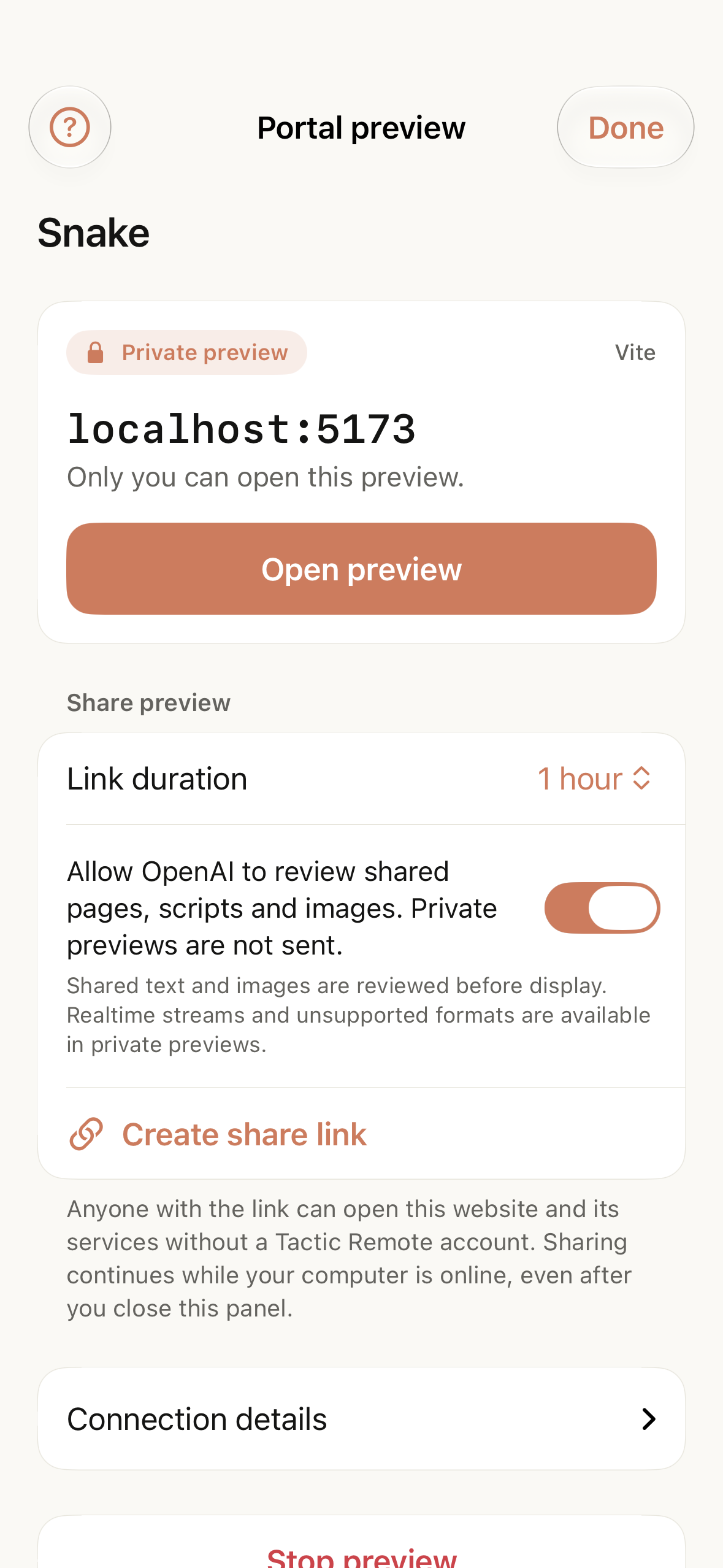
A running private preview. Sample data; no agent task was executed.
Free accounts can run one preview at a time. Pro allows up to five at once.
Share with a link that expires
Sometimes the person who needs to see the page is not you: a teammate, a client, or a friend testing a game. 1.13 can create a share link for a running preview. You choose how long it lasts, from one hour up to seven days, and you can stop sharing at any time.
Before it creates a share link, Portal asks for consent to content review. A shared page is checked with OpenAI’s moderation service before visitors see it, and every shared page carries a way for visitors to report a problem. Share links are offered only in regions where OpenAI’s services are available; elsewhere Portal stays private.
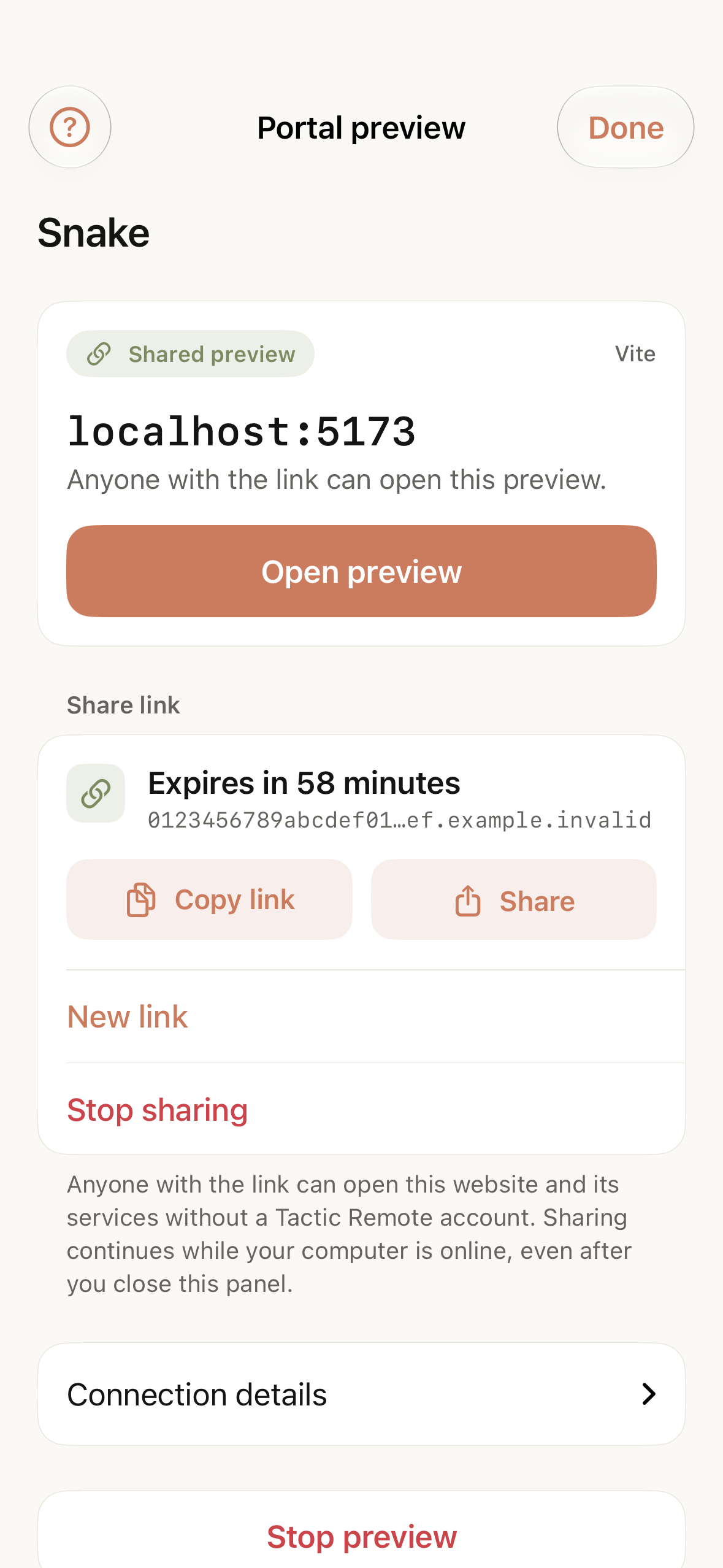
An active share link and its expiry. Sample data.
Update the computer app too
iPhone and iPad 1.13, Mac 1.13 and Windows 1.13 Preview are available. CLI and Homebrew remain at 1.12. Automatic website detection, share links and reconnection require Mac 1.13 or Windows 1.13 Preview; the current CLI still supports private previews.
1.13 also refines lifetime-upgrade guidance and subscription explanations, and fixes extra bottom spacing and preview margins in some larger-screen layouts.
Download the current release for each platform from the download page. Read the design details behind Portal for why previews stay private by default and how sharing is reviewed.
Try Tactic Remote
Control your coding Agents from your phone
Connect to Claude Code, Codex, and other Agents on your Mac, Windows, or Linux computer. Check progress and send the next instruction from iPhone or iPad.