Blog
Designing Portal in Tactic Remote 1.13: private by default, shared on purpose
From a localhost link in a reply to a link someone else can open: how 1.13 finds the right website, keeps the preview private, and makes sharing a deliberate, reviewable step.
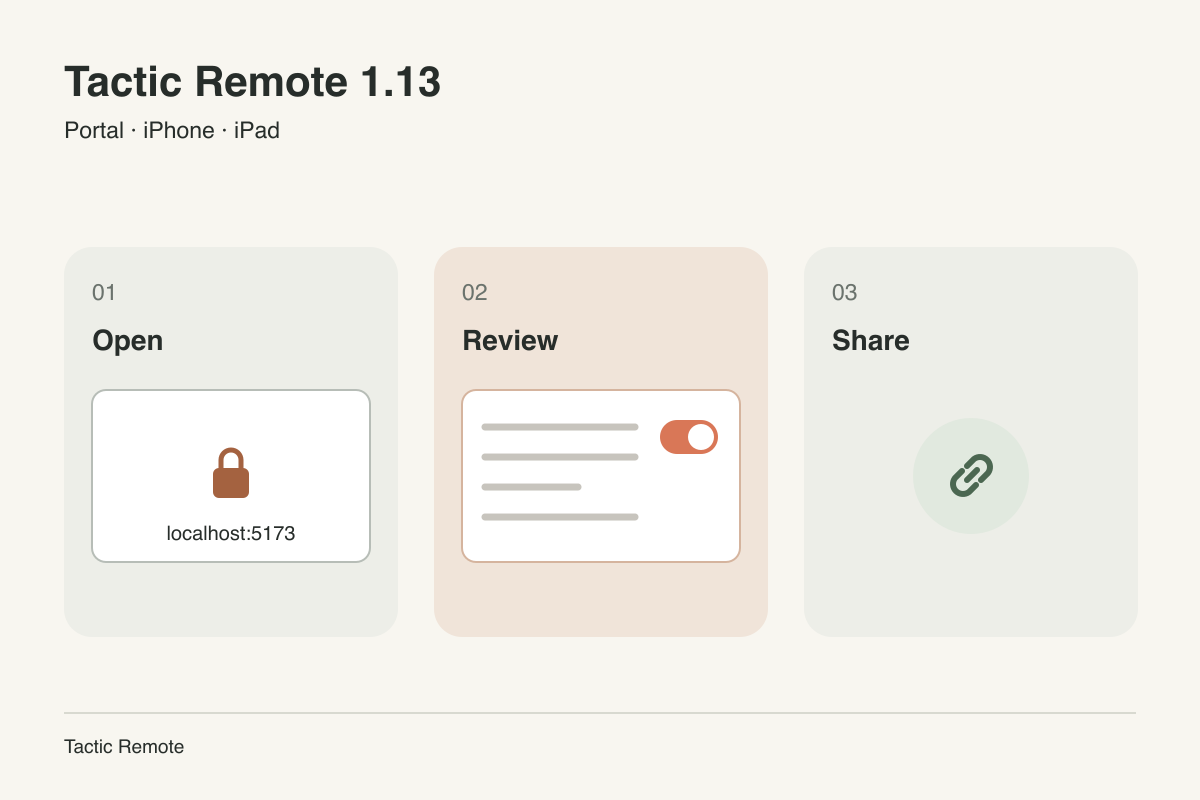
Availability — 2026-10-31: iPhone and iPad 1.13, Mac 1.13 and Windows 1.13 Preview are available. CLI and Homebrew remain at 1.12. Automatic website detection, share links and reconnection require Mac 1.13 or Windows 1.13 Preview; the current CLI still supports private previews.
A web project usually ends a task with a page to look at. The agent starts a development server, prints http://localhost:5173, and asks you to check the result. Tactic Remote already lets you follow that task from your phone, but the link itself only works on the computer.
Portal in 1.13 closes that gap. This article explains the choices behind it: how the app decides which website to open, why a preview stays private until you decide otherwise, and what happens before a share link works.
Start from what the agent just said
A reply can contain several local addresses: the website, an API server, a database console. Opening the wrong one is not useful, and opening something unrelated could expose more than intended.
So the app does not trust the link text alone. When a reply contains a local website link, Tactic Remote asks the connected computer which local websites are running and which of them belong to the current project. Only a link that matches a website for this project gets the Open private preview button. Detection is read-only: it reports a port, a protocol and whether it matches the project. It never starts a preview or creates a link.
The Portal page uses the same information. The website that matches the project is listed first; other local ports are shown but not recommended. A port can still be typed in when detection cannot see the website.
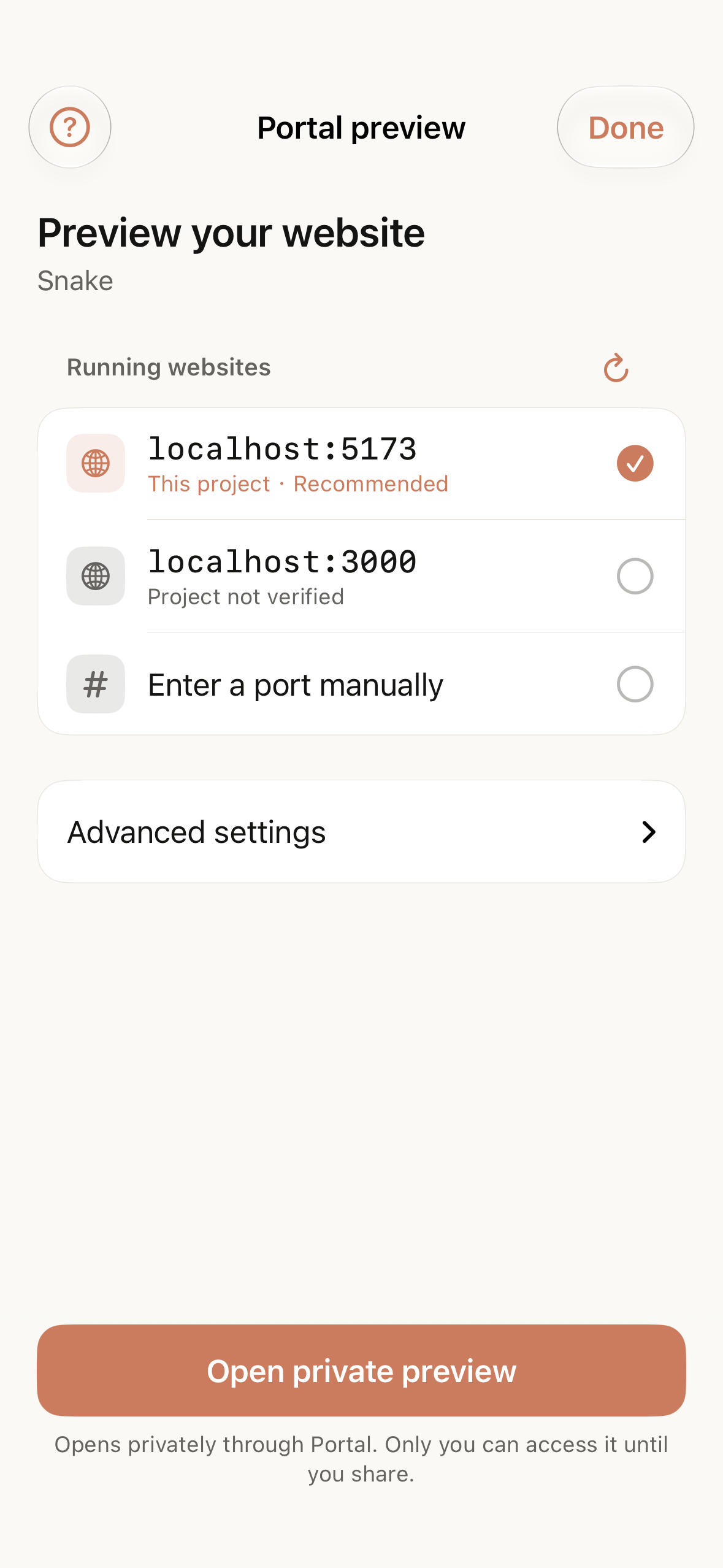
Detected websites for a sample project in the iOS simulator.
A preview reaches the phone without opening the computer
The website keeps running on your computer. The Tactic Remote app or CLI there connects outward to the Portal gateway and relays requests for the website you chose, along with any local services that website is set up to use. The computer does not accept new incoming connections, and Portal does not open the rest of your local network.
On the phone, the preview opens inside the app with a private browser session that is not shared with Safari. The gateway admits only your signed-in account to a private preview. Paths, query strings and anchors from the original link are preserved, so /play?level=2 opens the same page you would see at the desk.
A preview can be shown at phone, desktop or ultrawide width. On larger screens you can resize the conversation beside it or expand the preview to full width. These width changes reuse the same page instead of reloading it, so a form in progress or a running game keeps its state.
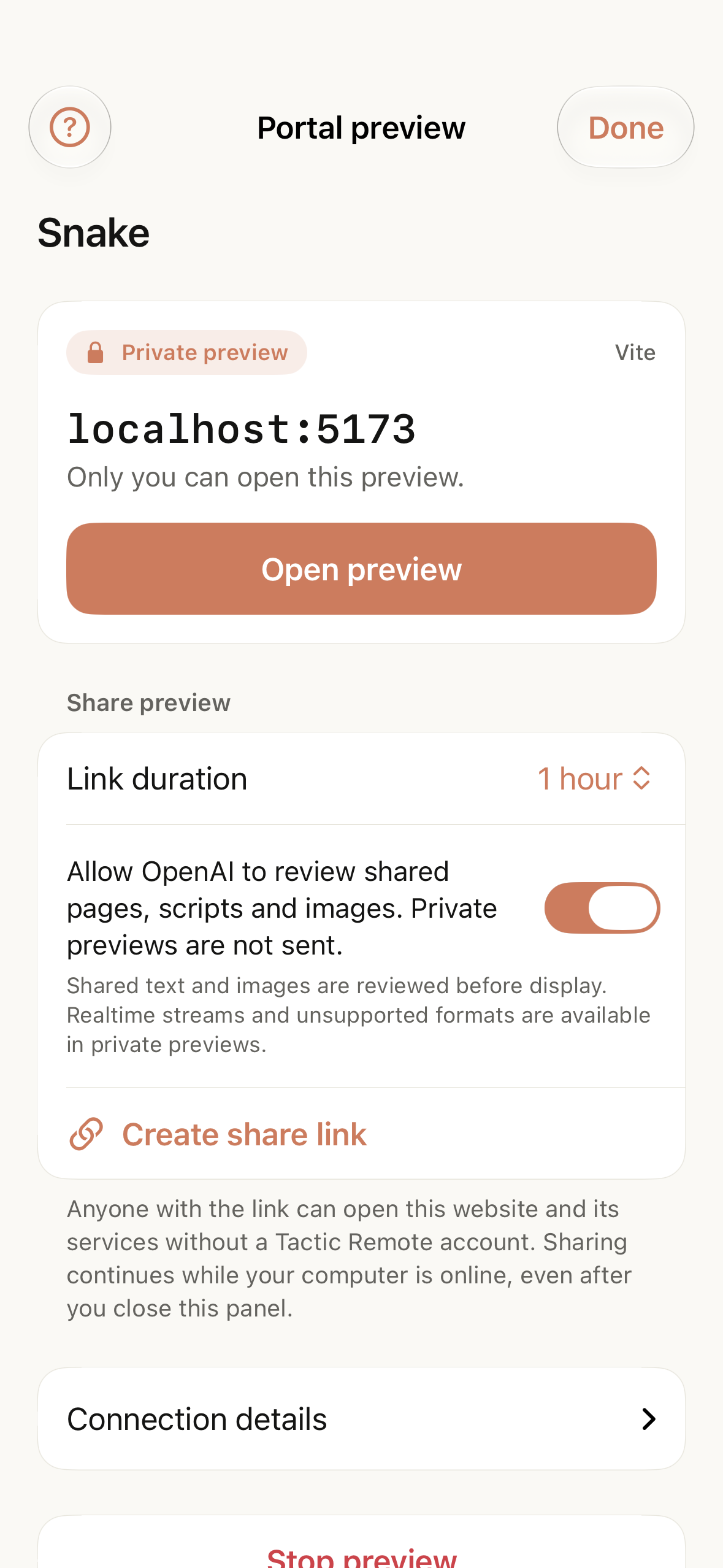
A private preview in the iOS simulator. Sample data; no agent task was executed.
Each running preview uses a slot on the gateway. Free accounts get one at a time and Pro accounts five; when the limit is reached the app says which plan applies instead of failing silently.
Sharing is a separate, deliberate step
A private preview answers “does it look right to me?” Sharing answers a different question, and it changes who can see the page. We made it a separate step with its own choices.
First, you agree to content review, in the sharing section below the private preview shown above. A shared page’s text and images are checked with OpenAI’s moderation service before visitors see them; private previews are not sent. If review cannot approve a page, the private preview keeps working and only the share is refused. Realtime streams and formats review cannot check stay available in the private preview.
Then you choose a duration: one hour, three hours, one day or seven days. The link expires on its own, and you can stop sharing or replace the link at any time. Visitors open a landing page first, and every shared page carries a way to report a problem.
Share links are only offered where OpenAI’s services are available. Elsewhere Portal remains a private preview tool.
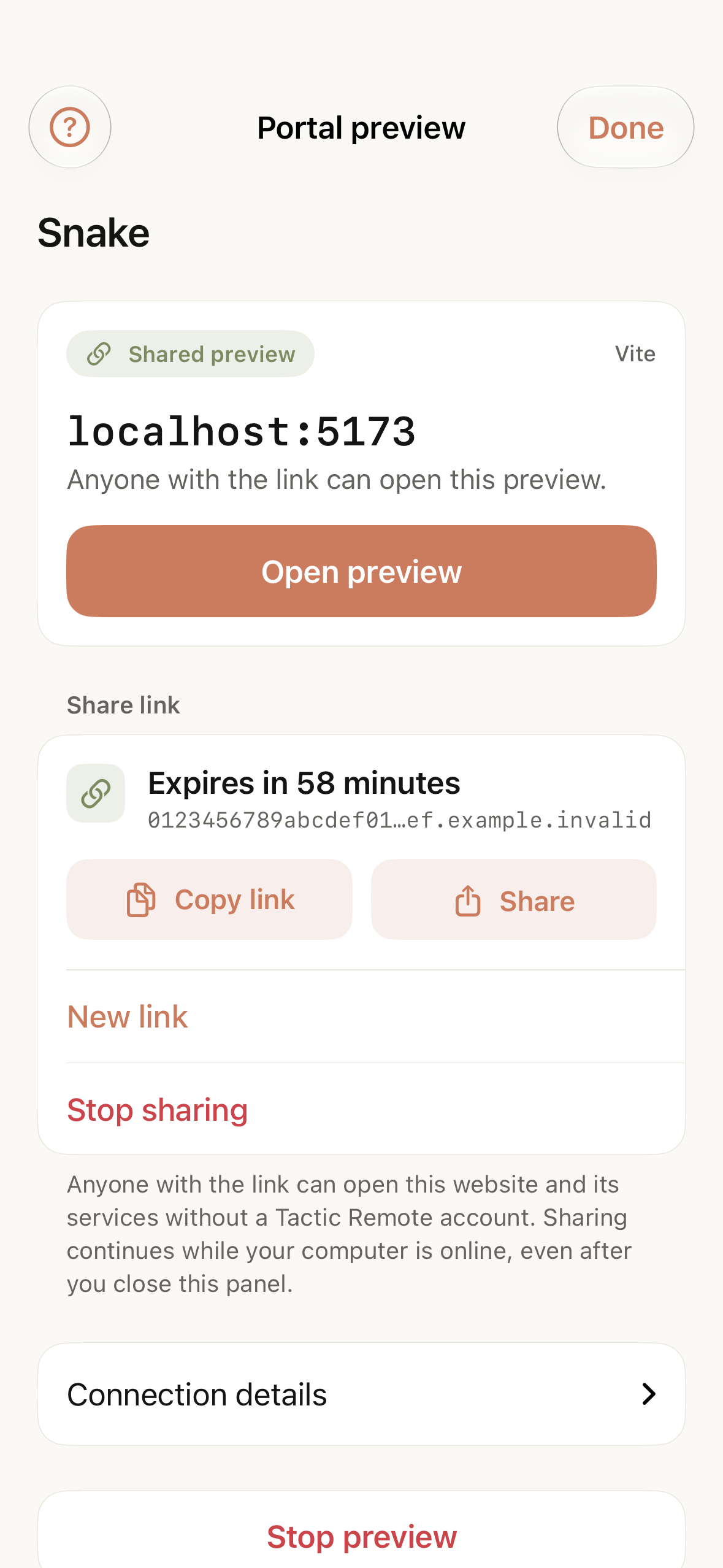
An active share link. Sample data.
When the connection drops for a moment
Phones change networks, and computers sleep briefly. A share link that dies after a few seconds of Wi-Fi trouble would be hard to rely on. The 1.13 computer apps keep a shared preview for up to two minutes after the connection to Portal drops, then resume the same link once the connection returns. If it cannot be restored in time, the preview and its link end, and you can start them again.
A preview still ends when you stop it, when the computer app quits, or when the link expires. Nothing keeps serving a page after you have asked it to stop.
What needs the computer app
iPhone and iPad 1.13, Mac 1.13 and Windows 1.13 Preview are available. CLI and Homebrew remain at 1.12. Automatic website detection, share links and reconnection require Mac 1.13 or Windows 1.13 Preview; the current CLI still supports private previews.
Download the current release for each platform from the download page. 1.13 overview.
Try Tactic Remote
Control your coding Agents from your phone
Connect to Claude Code, Codex, and other Agents on your Mac, Windows, or Linux computer. Check progress and send the next instruction from iPhone or iPad.