News
Tactic Remote 1.12: open Duo, continue the task
Read a reply outside, then open Duo to see the workspace beside it. 1.12 connects that journey through layout, terminal, and input changes.
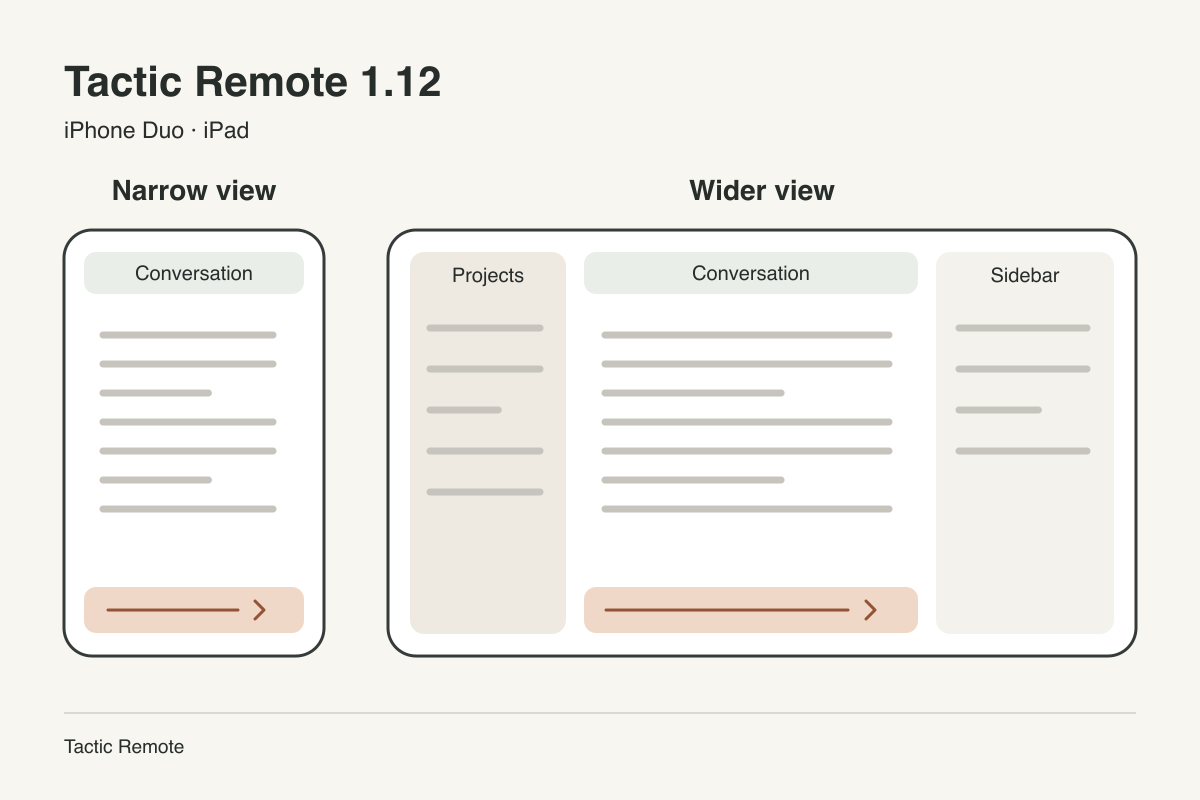
Read a test result on your phone, open the screen to see the project context, then add another requirement. Following up on one task can take you through several interface states.
Tactic Remote 1.12 focuses on that sequence: giving conversations and workspaces room on iPhone Duo, keeping the terminal in step with its width, and coordinating layout changes with text already being sent.
On the outer display, give the reply room
With Duo closed, the conversation you are reading needs most of the space. In narrower views, 1.12 keeps messages in the main area and opens project and session lists as drawers when needed. Reading a reply, finding the previous instruction, and adding a sentence can all happen around the current conversation.
The first screenshot follows a date-export task: preserve the existing format, handle an empty date, and add a regression test. The instruction and reply share one reading path, so you can first understand where the work stands.
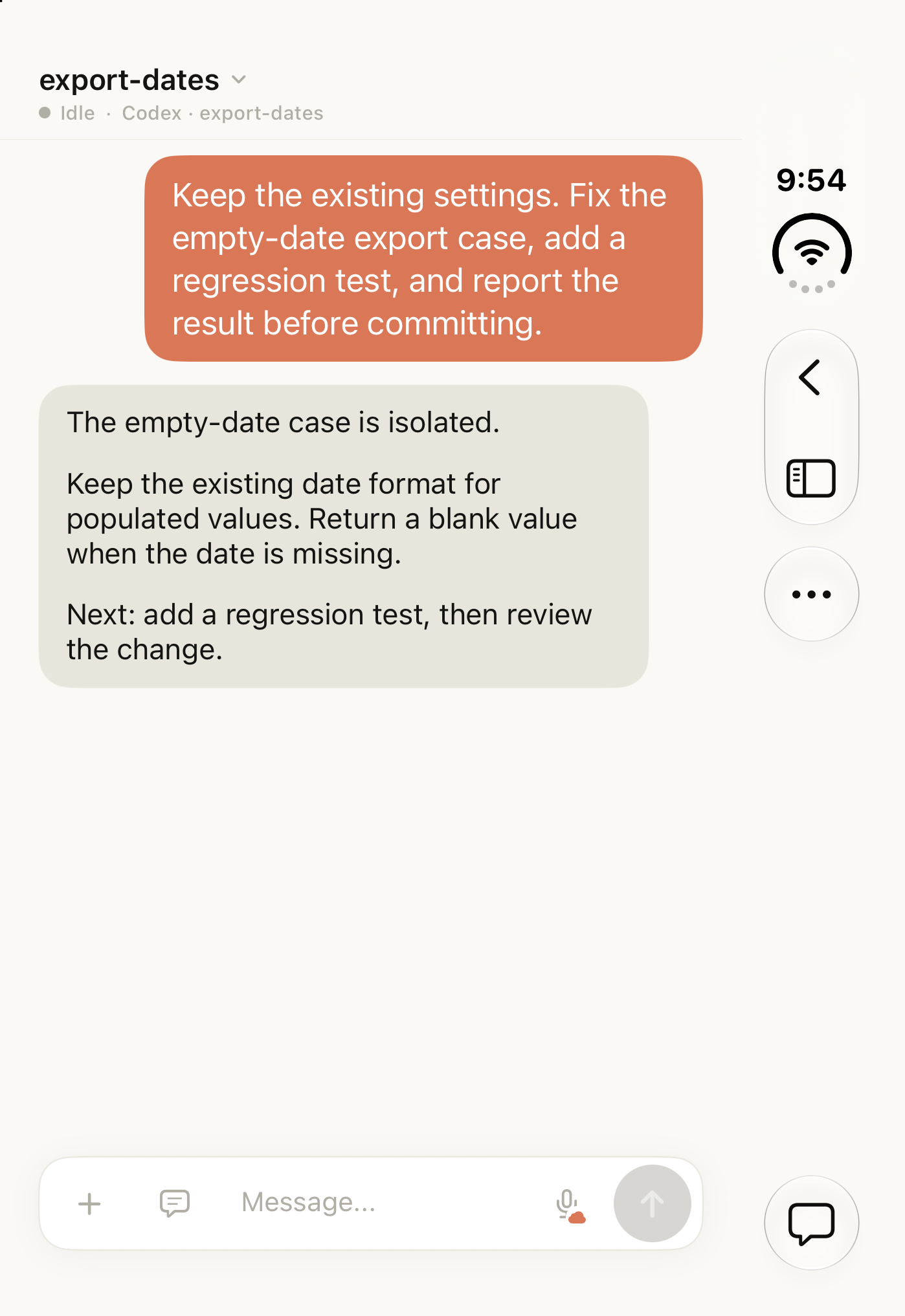
Closed Duo simulator, outer display, running 1.12. The conversation uses demonstration data; no agent task was executed.
Open Duo to bring project context alongside
After reading the reply, you may want to know which project, session, and branch it belongs to. With enough space on the inner display, the workspace can stay to the left of the conversation. The selected task and its messages are visible together.
The next screenshot uses the same date-export example. The workspace, selected export-dates session, and branch appear on the left; the instruction and reply stay on the right. The added space holds the surrounding context while the conversation keeps its own reading area.
Layout changes preserve the current conversation, unsent draft, and reading position. You can pick up the sentence you were writing or the reply you were halfway through.
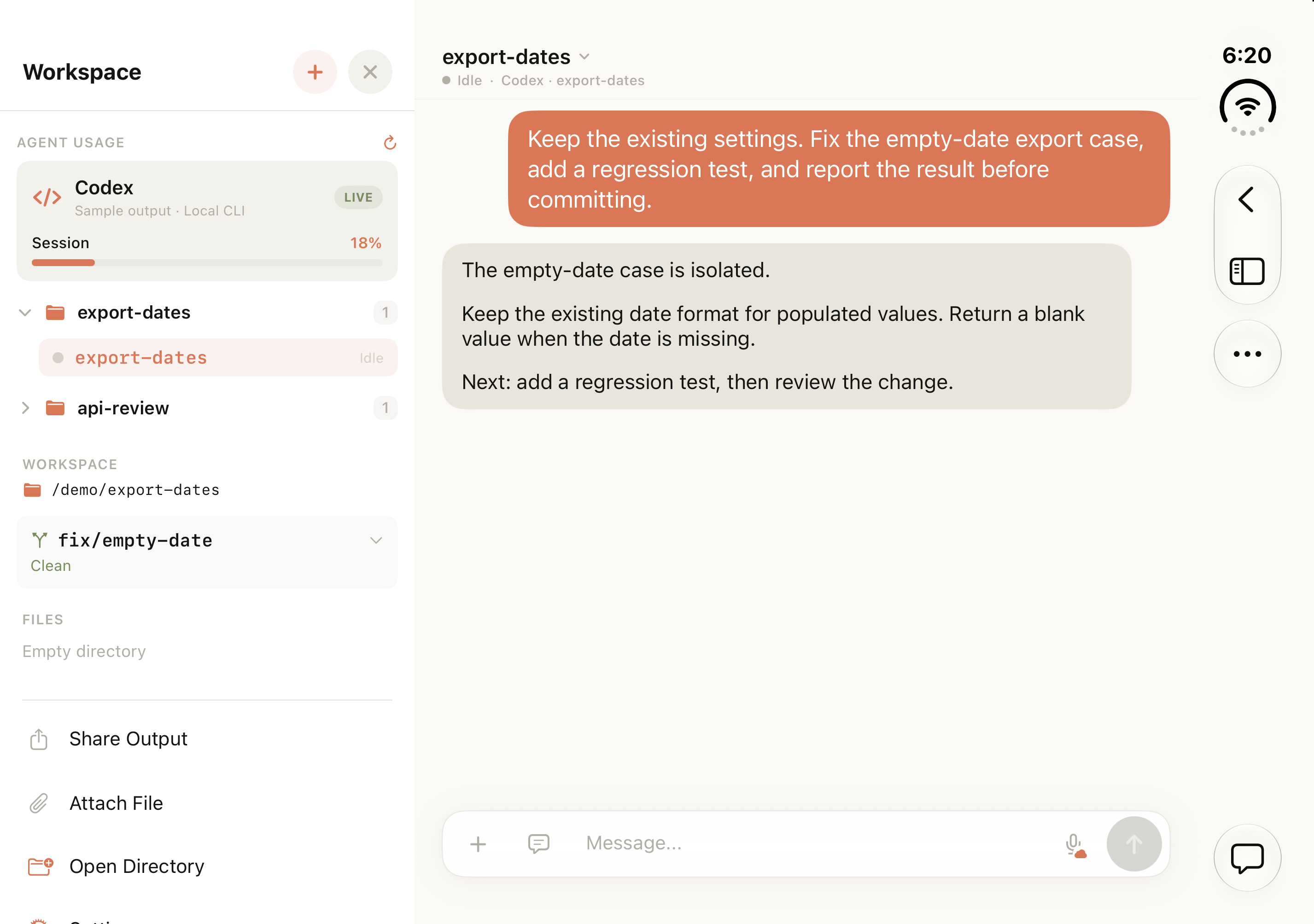
Fully open Duo simulator, inner display. Conversation, workspace, and usage values are demonstration data; no agent task was executed.
Follow the available space, including in the terminal
1.12 arranges panels around the space available to the current view and leaves room for the fold region reported by the system. The same approach applies to changing iPad windows: show context alongside when there is room, and focus the view when it narrows.
The terminal also needs an updated character-column count. After rotation or opening a sidebar, existing output could still be wrapped to the previous width. 1.12 coordinates size updates and refreshes the current terminal after the width settles, so the displayed output can fit its new space.
Opening the keyboard usually reduces only the available height. For height-only changes, the terminal keeps its existing stream, avoiding a reconnection just to show fewer rows.
Finish sending the instruction before refreshing
A follow-up often contains a complete error message or several constraints. Long text is sent to the terminal in chunks; opening a panel during that paste means the refresh must account for input still in flight.
1.12 finishes sending queued keystrokes and paste chunks before refreshing for a new width. Input-bar text alignment and sidebar spacing have also been adjusted to keep those areas orderly across layouts.
When you need raw output or terminal shortcuts, you can switch to the current task’s native terminal. The third screenshot shows that output surface and its keyboard controls, another part of following the same kind of coding task.
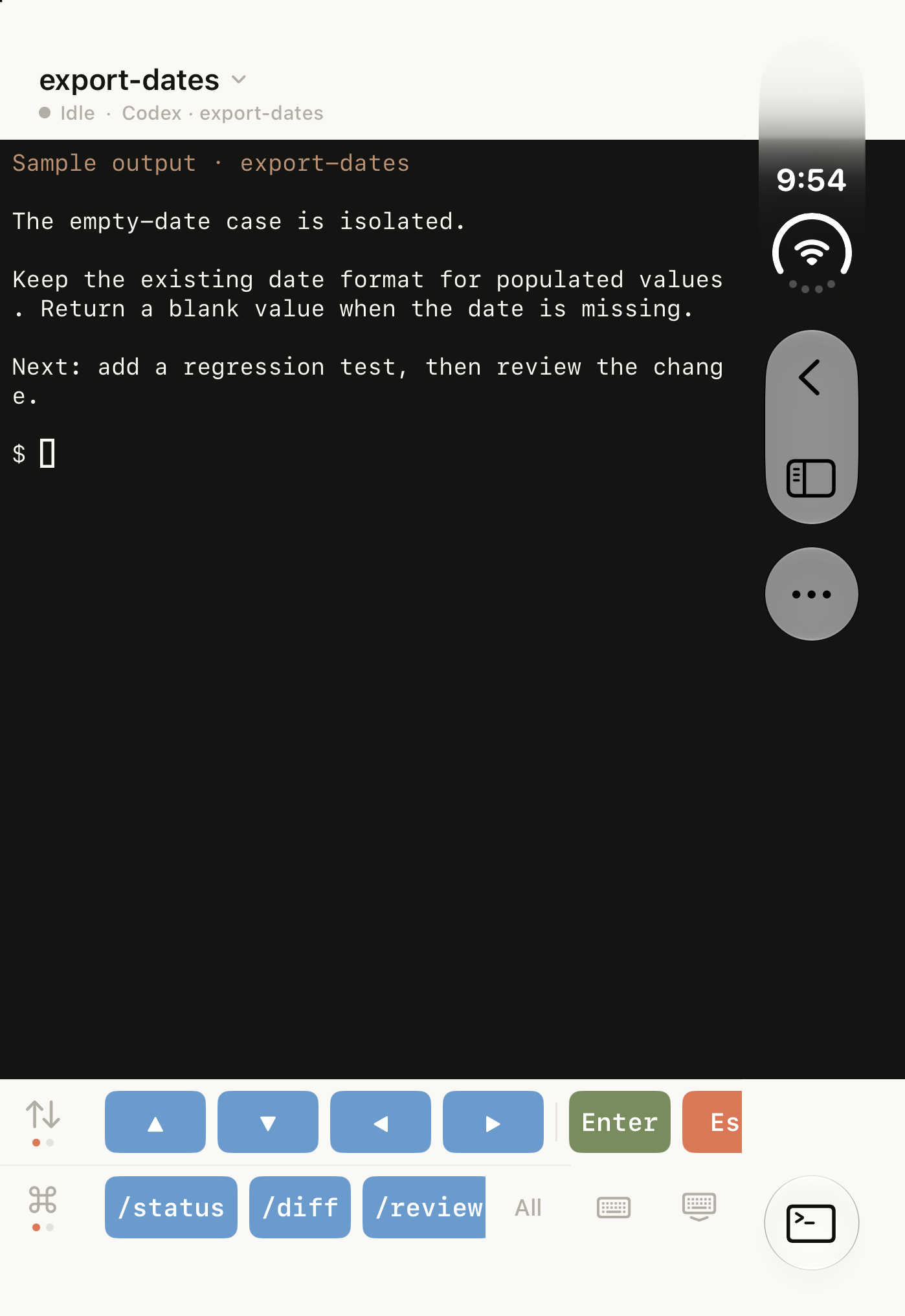
Native terminal view in the Duo simulator. The output is local sample data; no agent task was executed.
Return to the app and catch up
Copying an error, switching to another app, and coming back for the result are part of this sequence too. 1.12 cancels unfinished connection attempts when entering the background and avoids starting new ones there. It also fixes some agent-status and output-display issues.
The coding agent still runs on your computer. When you return, the current connection and latest output help you catch up; the computer and agent process need to remain available.
Update both ends
The computer companion also improves terminal output, session recovery, and input while agents start or wait, and reduces duplicate notifications. Update the companion installation you use to receive these changes.
Download the current release for each platform from the download page. Windows continues as a Preview release.
Read the design details behind 1.12 for the choices behind panel widths, draft preservation, and terminal refreshes.
Try Tactic Remote
Control your coding Agents from your phone
Connect to Claude Code, Codex, and other Agents on your Mac, Windows, or Linux computer. Check progress and send the next instruction from iPhone or iPad.