News
Tactic Remote 1.13: inspect and share your development website from your phone
Bring a running development website into the iPhone or iPad app. See how Portal fits a task, when to share, and which 1.13 computer app to use.
Follow product and engineering updates from this channel.
Browse categoryWhen an agent says “the page is ready,” there is usually one more check to make: look at it yourself. Does the headline wrap awkwardly on a phone? Is a button obscured? Does the empty state you requested actually appear? A completion message in the terminal cannot answer those questions on its own.
Portal in Tactic Remote 1.13 brings the development website running on your computer directly into the iPhone and iPad app. Open a private preview, compare the live page against your task, and continue the original conversation. If someone else needs to see it, make a separate decision to share. Your project, development server, and agent process stay on the computer.
From “done” to the page in front of you
Suppose you ask an agent to adjust a registration page for smaller screens. With the development server already running, open Portal for that project on your phone and verify the port. Read the heading, scroll to the form, and check the button at a narrow width. Your next prompt can then be specific: “The note below Submit is cut off. Keep the existing fields and adjust only the spacing here.”
Portal does not start the website for you, nor does it assume a page is visually correct just because automated tests passed. It gives you a direct way to inspect the running result against your original requirement. The real-device capture below shows a test website opened through that path.
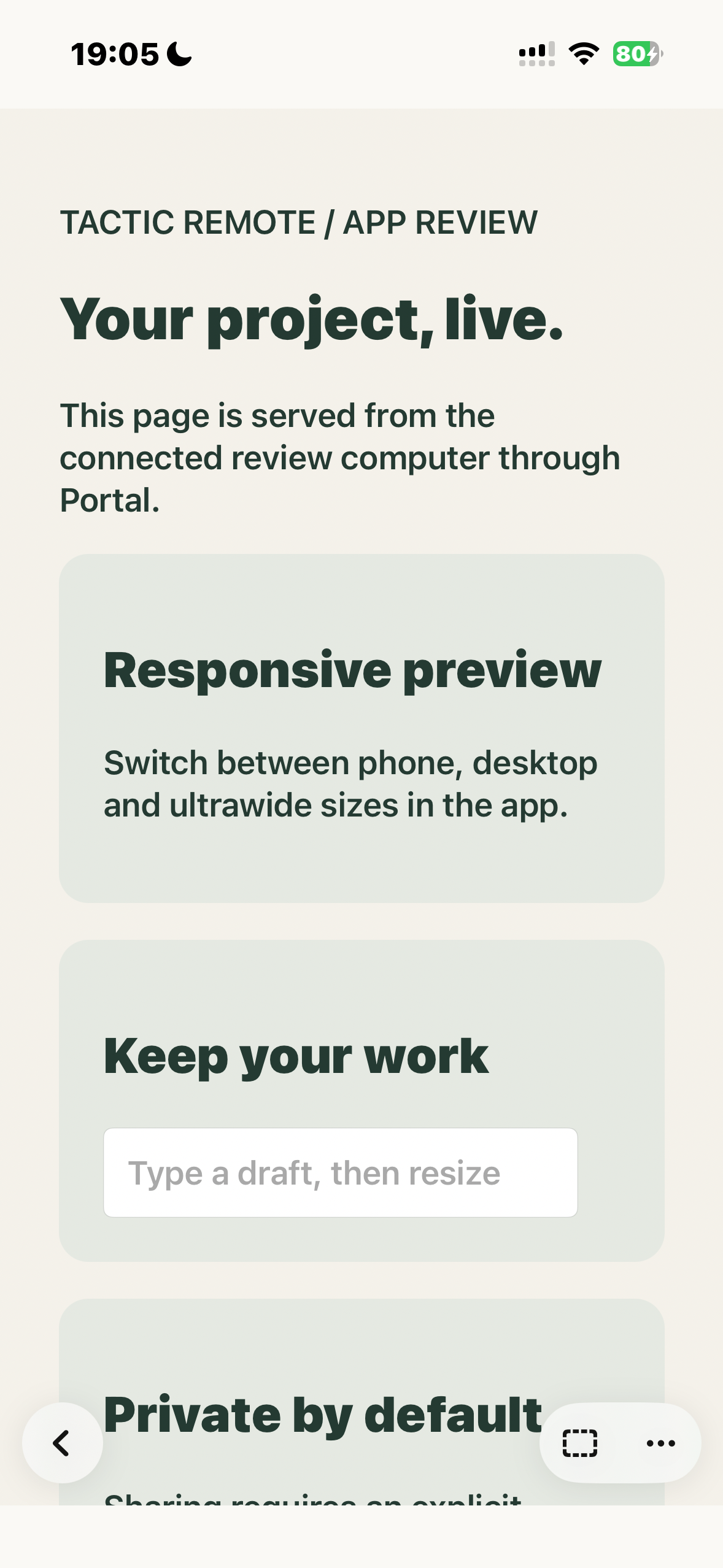
Original iPhone 15 capture from October 29, 2026: 1.13 Build 45, English UI, connected to a Linux 1.13 test host. The page uses non-sensitive test content. This is not a new end-to-end test of the final Mac or Windows packages.
Check the result, then continue the same task
Switch the preview between phone, desktop, and ultrawide widths; on larger screens, you can also resize the split between the conversation and the page. You can inspect a line break or button position across viewports without leaving your current task. While width previews help reveal layout issues, they do not replace testing actual Mobile Safari behavior, website sign-in, or a complete user flow on a physical device.
After an agent modifies a search field, for example, you can test blank input and a long query using non-sensitive data, then report exactly what you saw back in the original conversation. Visual appearance, working APIs, and passing tests remain separate checkpoints to verify.
Which version do you need?
| Platform | Available release | Portal status |
|---|---|---|
| iPhone / iPad | 1.13 | Mobile preview interface |
| Mac | 1.13.0, build 32 | Website discovery, sharing and reconnection support |
| Windows | 1.13.0 Preview | Same new Portal host capabilities; unsigned Preview, manual updates |
| CLI (npm) | 1.13.0 | macOS / Linux · npx tacticremote@1.13.0 |
| Homebrew | 1.13.0 | macOS / Linux · brew upgrade TacticSpaceTech/tap/tacticremote |
Mac and Windows downloads include their own server. Sharing is offered only in supported regions and requires agreement to content review; do not share confidential development data.
The new computer companion looks for running websites associated with the selected project, with manual port entry still available. After a brief Portal connection loss it can try to resume sharing within a limited window. This is not guaranteed uptime; the computer and development server must remain available.
Decide about sharing after your own check
Asking a colleague to briefly check a layout is very different from deploying a website. Portal sharing requires an explicit agreement to content review, an expiration window, and link creation. A visitor with the link can access the page without a Tactic account after accepting the visitor notice. Sharing is available only in supported regions, and automated review may reject content or fail to complete.
Keep the preview private if it is only for your own eyes. Before sharing, verify that the page and any configured local services expose no credentials, customer data, or internal administration tools. Your computer and development server must stay running: a share link cannot stand in for a production deployment when the host computer goes to sleep.
Download the available releases. For the step-by-step workflow, read preview localhost on your iPhone. For architectural reasoning and limits, see how Portal works. The changelog has the full release notes.
Try Tactic Remote
Control your coding Agents from your phone
Connect to Claude Code, Codex, and other Agents on your Mac, Windows, or Linux computer. Check progress and send the next instruction from iPhone or iPad.