News
Introducing Tactic Remote 1.10: continue your AI coding tasks away from your desk
Tactic Remote 1.10 brings a project-based home screen and improved Windows sign-in, account linking, and Relay connections. Continue Claude Code and Codex tasks from your iPhone or iPad.
Follow product and engineering updates from this channel.
Browse categoryTactic Remote 1.10 is now available. Use your iPhone or iPad to open projects and conversations on your development computer, check an AI coding Agent’s progress, and send instructions.
We built this update around a familiar moment: the Agent is still working, but you need to step away from your desk. You need a way to return to the task, answer the Agent’s question, and decide what comes next.
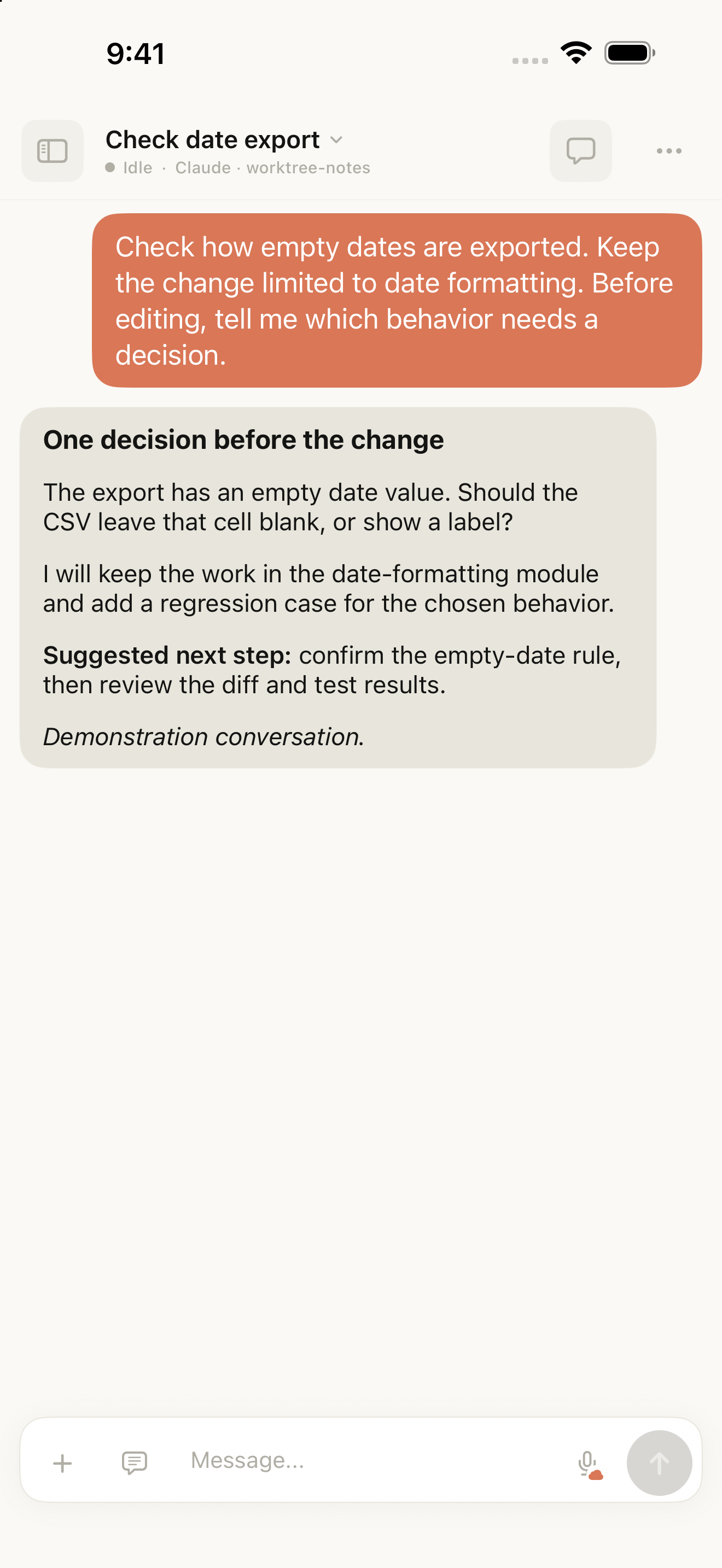
Captured in the English iOS simulator. The demonstration conversation illustrates a decision waiting for user input.
Find the project, then return to the task
The updated home screen organizes conversations by project. Find your project and open the task for the relevant Agent. When starting a new conversation, choose the directory, Agent, and interaction mode explicitly.
Claude Code, Codex, Amp, and Droid can handle separate conversations. Code, dependencies, and Agent processes remain on the computer you select; your phone gives you a place to check in and respond.
Connect to your Windows PC from your phone
This update improves sign-in, PC linking, and Tactic Relay connections in the Windows companion. Sign in and link the PC, then select that online computer on a phone using the same Tactic account to open its projects and conversations.
For your first session, make sure the Agent is installed and signed in on the PC, then connect to a local project. Your Tactic account links devices. Codex and other Agents still use the provider accounts signed in on that computer.
Answer the next question without returning to your desk
“Leave empty dates blank, and add a regression test.” Open the original conversation on your phone, review the context, and add the instruction. Your Agent continues working on the computer.
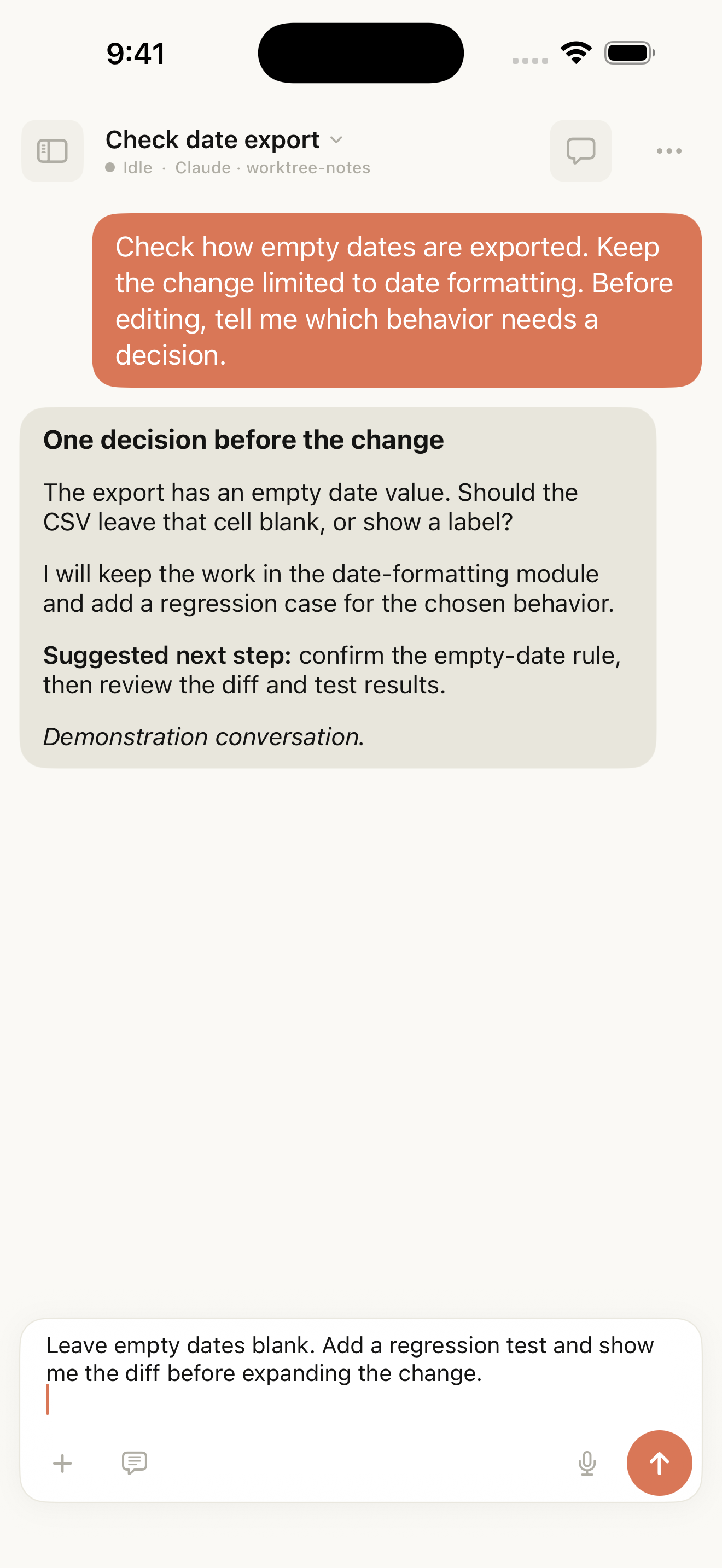
The same demonstration conversation with a follow-up saved in the composer. The message has not been sent.
The command and prompt library reduces repeated typing on a phone. Selected content appears in your draft, where you can add context before sending.
Get started with 1.10
Get the mobile app and the matching computer companion from the download page. Keep the host online, connect to a familiar project, and begin with a read-only request to confirm the working directory.
Relay encrypts workspace content end to end between the client and host. An Agent’s calls to model services still follow its account and configuration on the host.
Read 1.10 in detail, or follow the Windows connection guide to set up your PC.
Try Tactic Remote
Control your coding Agents from your phone
Connect to Claude Code, Codex, and other Agents on your Mac, Windows, or Linux computer. Check progress and send the next instruction from iPhone or iPad.