Blog
Mobile Git workflow guide: stage, commit, branch, and push from iPhone, iPad, or Web
Step-by-step walkthrough for reviewing agent edits and completing Git workflows in Tactic Remote 1.14, plus a symptom-based troubleshooting table.
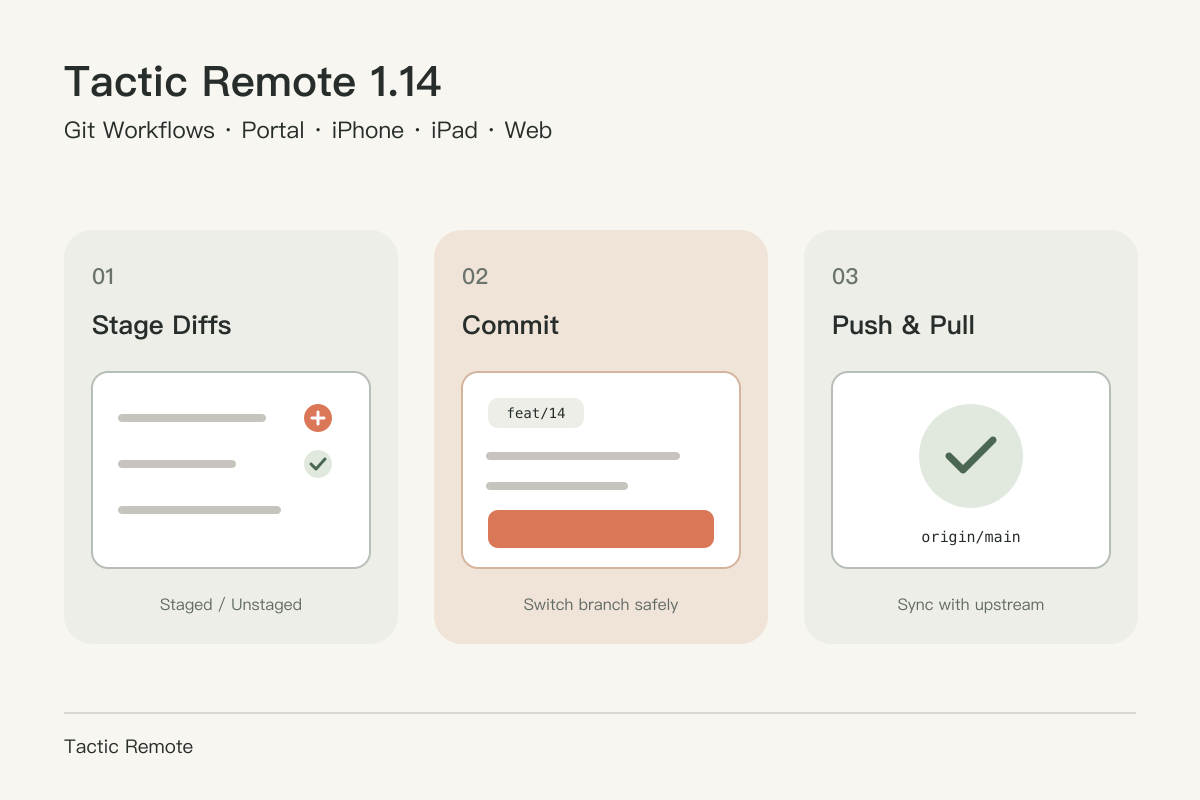
Once your agent finishes an edit and automated tests pass, you can finish the Git cycle right inside Tactic Remote 1.14 on iPhone, iPad, or Tactic Remote Web.
Before you begin
- Client & computer host at 1.14.0+: native Git write actions require both sides on 1.14.0 (iOS/iPadOS 1.14.0 or Web App 1.14 paired with Mac 1.14.0, Windows 1.14.0 Preview, or npm CLI / Homebrew 1.14.0). Earlier 1.13.x hosts stay read-only. Download 1.14.0 or see What's new in 1.14.
- Git author & remote credentials configured on the host: set
user.name,user.email, and non-interactive SSH keys or HTTPS credential helpers on the computer once, just as you do for local terminal pushes.
1. Review diffs and stage only what belongs together
Open the project conversation and switch to the Review tab (or Changes in the Web App). You will see the active branch selector at the top, followed by Pull/Push controls, the commit message draft, and modified or untracked files.
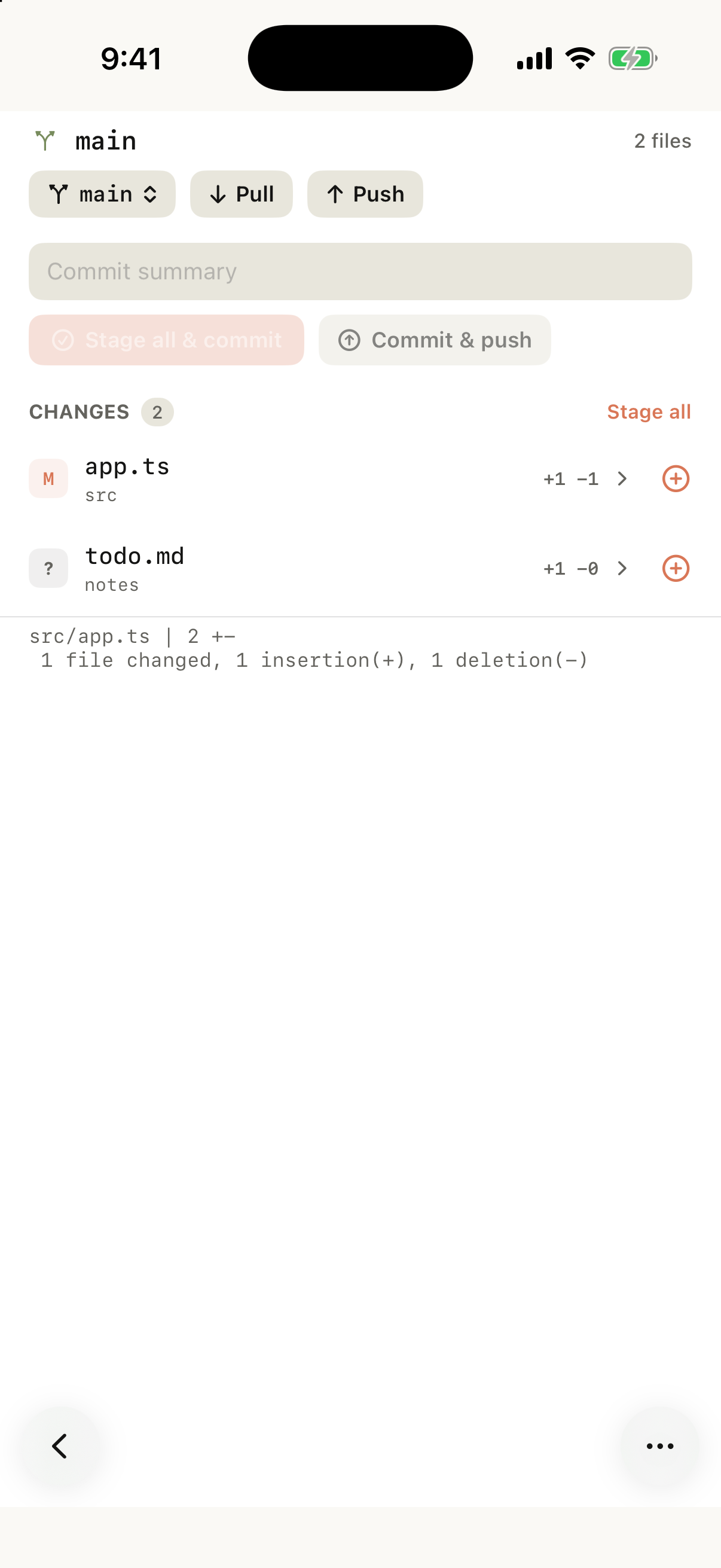
iOS 1.14.0 (51) simulator capture on demo-repo showing two pending changes before staging.
Tap any file to inspect its unified diff across All, Staged, and Unstaged tabs. You can tap Stage or Unstage right inside the diff header without backing out to the file list.
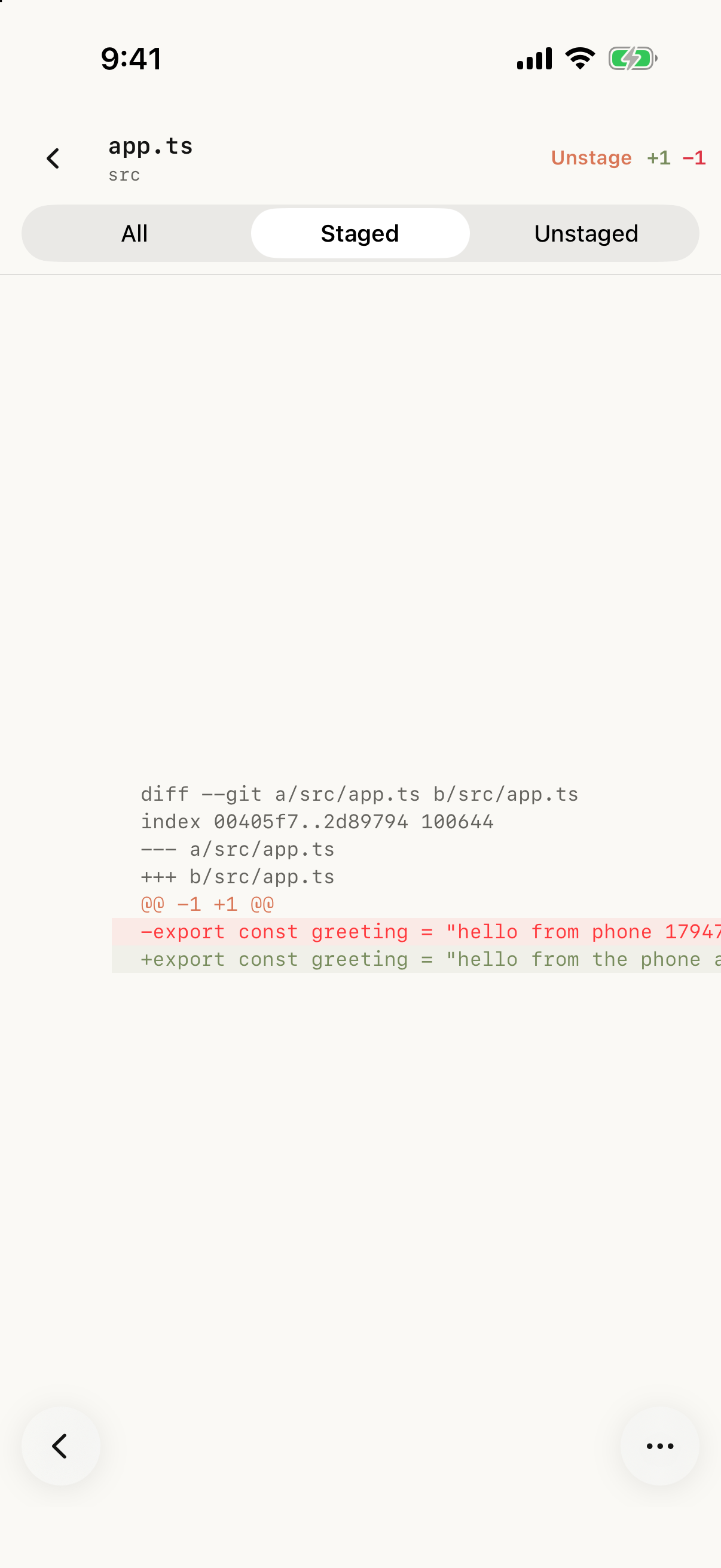
Simulator capture showing staged hunk filtering and the detail-view Unstage control.
2. Create or switch branches safely
Tap the branch chip next to the repository header to switch to another branch or create a new feature branch. Before switching, make sure local edits will not collide with the destination branch: if uncommitted edits would be overwritten, Tactic Remote blocks the switch and prompts you to commit, stash, or discard those edits first.
3. Commit locally or Commit & Push
Once the right files are staged (or use Commit all to stage everything tracked/untracked in the list), enter a clear commit summary:
- Tap Commit if you want a local checkpoint before continuing with the agent.
- Tap Commit & Push to commit locally and send to the remote immediately.
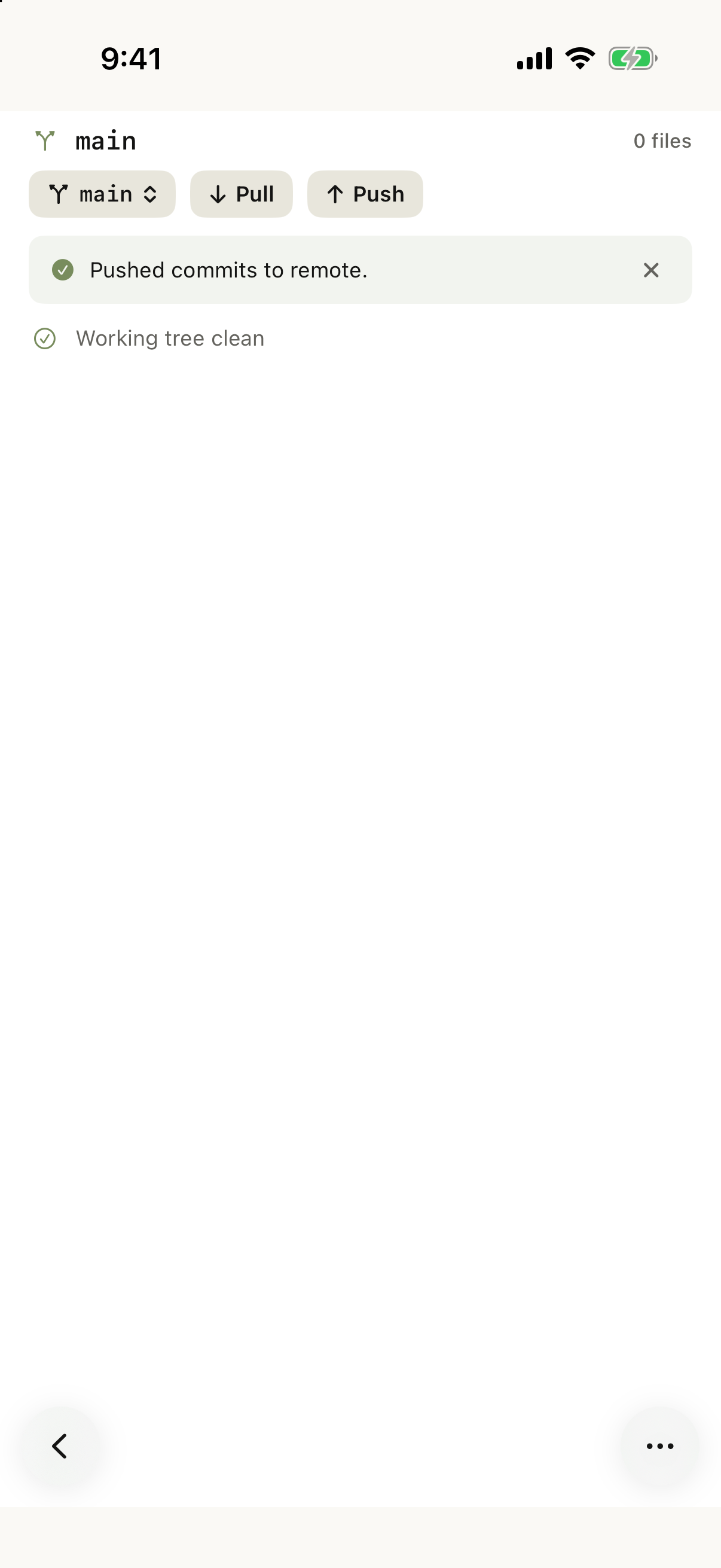
Simulator capture after pushing to an upstream remote. Both iOS 1.14 and Web App 1.14 show matching confirmation banners.
If you created a brand-new branch locally and tap Pull before pushing once, Tactic Remote explains that the branch does not yet track a remote branch and asks you to push once to set upstream first.
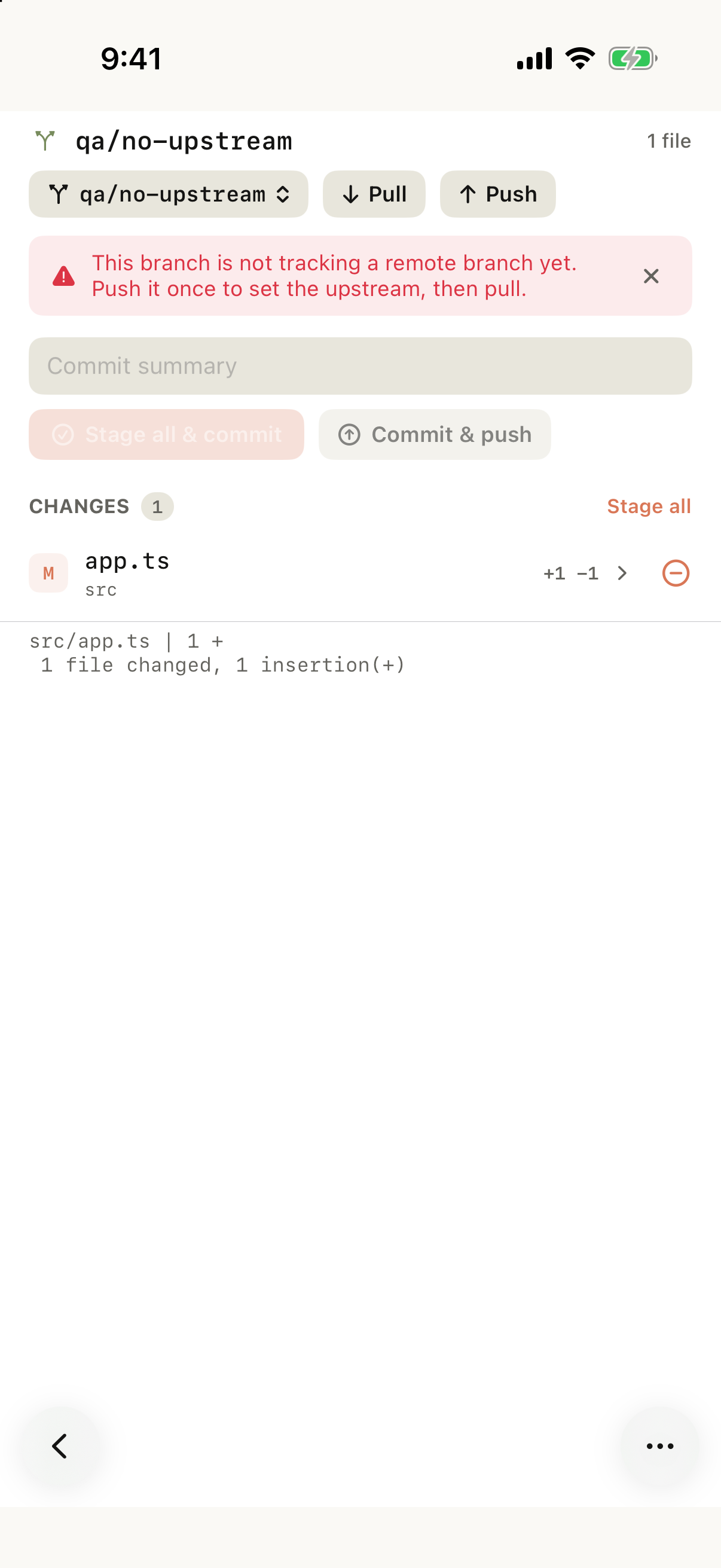
Simulator capture showing the missing-upstream guidance banner instead of a generic remote error.
4. Discard vs. delete untracked files carefully
When cleaning up stray edits, check whether the file is tracked (M) or untracked (?):
- Discarding a modified tracked file restores its last committed/index state.
- Long-pressing an untracked file and choosing Delete displays a red confirmation warning because untracked files exist nowhere in Git history and will be removed permanently from your computer's disk.
Troubleshooting by symptom
| Symptom | What to check first |
|---|---|
| Stage, commit, or push buttons are hidden | Confirm the computer companion is running 1.14.0+; 1.13.x hosts keep Review in read-only mode. |
| Push button is disabled | Check if the repository is in detached HEAD state or already up to date with no ahead commits. |
| Pull says the branch has no remote tracking | Run an initial Push on the new branch to establish upstream tracking, then pull again. |
| "Committed <hash>, but push failed" banner | Your local commit succeeded cleanly and the draft cleared. Fix SSH/network/remote setup on the host and tap Push (no need to re-type the commit). |
| Branch switch or Pull blocked by local changes | Commit your current edits on the existing branch, or discard/stash conflicting changes on the computer first. |
| Stage error inside diff detail view | Check whether another git command or agent hook left a .git/index.lock file on the host computer. |
| Need interactive rebase or 3-way conflict resolution | Ask your Agent in chat to resolve conflicts or switch to the Native Terminal tab for full CLI control. |
To understand how these guardrails work under the hood, read Inside Tactic Remote 1.14. For previewing local web apps alongside your workflow, see How to preview localhost on iPhone.
Try Tactic Remote
Control your coding Agents from your phone
Connect to Claude Code, Codex, and other Agents on your Mac, Windows, or Linux computer. Check progress and send the next instruction from iPhone or iPad.