Blog
Let Claude Code and Codex work in parallel: a small Git worktree experiment
Use Git worktrees to give Claude Code and Codex separate directories, define each task’s scope, verify them independently, and combine them afterward. This article includes an empty-date export example, actual test results, and a reproducible script.
Follow product and engineering updates from this channel.
Browse categoryBefore asking Claude Code to revise copy while Codex fixes an export bug, give each task its own working directory.
If both conversations point to the same directory, a file changed by one Agent becomes input to the other. When you see “tests passed,” you may no longer be able to tell whose changes that result describes.
Update a settings description while fixing an empty-date export: two tasks you can work on in parallel and review separately. This reproducible experiment shows how to prepare separate directories, assign the work, and test the combined result. A script performs the experiment; the prompts are examples to adapt for your own project.
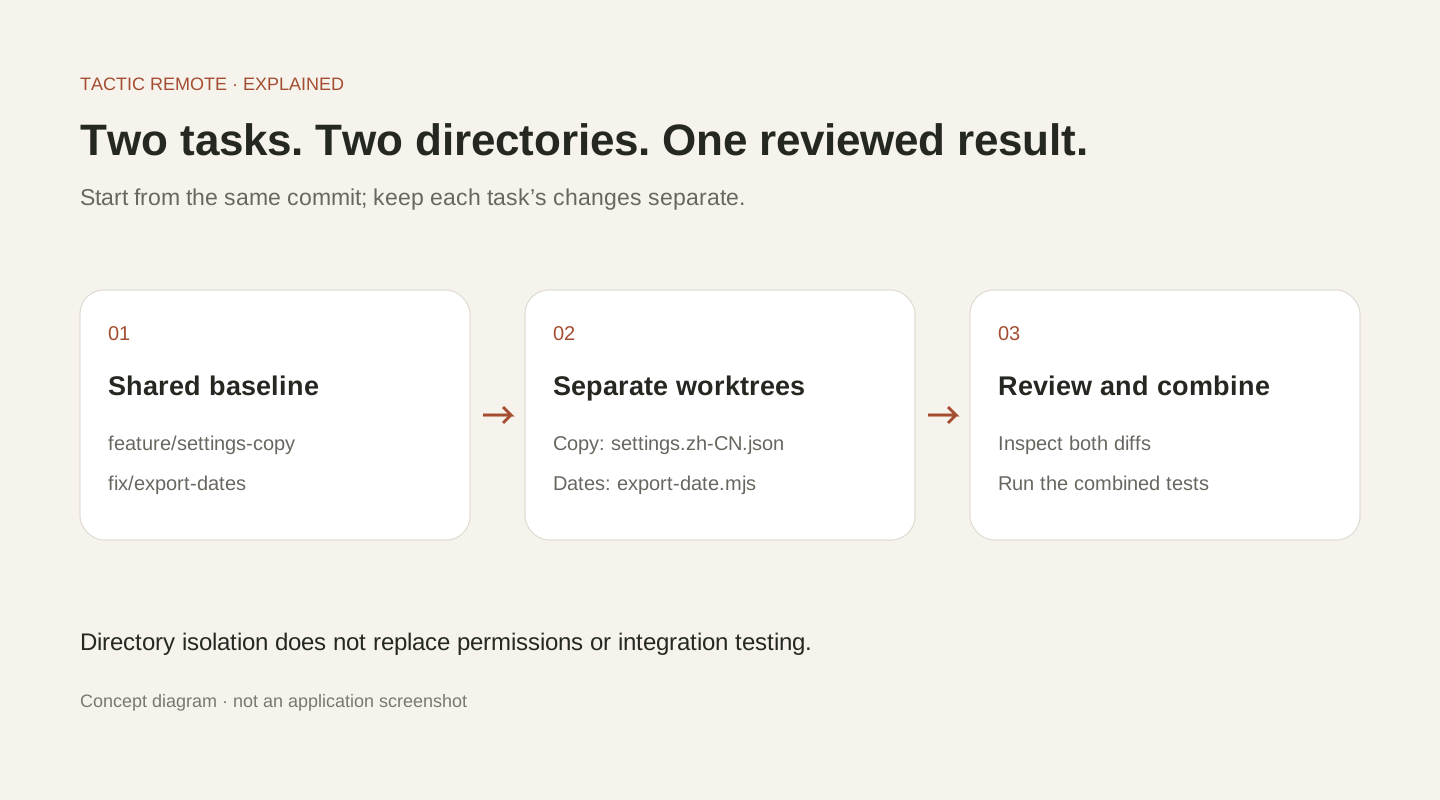
Concept diagram: start from one commit, change and check each worktree, then verify the merged result.
Define each task’s scope and completion criteria first
The sample project has a settings copy file and a function that converts timestamps into export dates.
The copy task changes only settings.zh-CN.json, updating the “管理设备” description to “查看已登录设备,并撤销不再使用的设备访问”. The date task fixes missing-value behavior only, while keeping the rule that valid timestamps are exported as UTC dates.
The fixture keeps its Simplified Chinese strings so the experiment remains reproducible. “管理设备” means “Manage devices”; the new description means “View signed-in devices and revoke access for devices you no longer use.”
The original date function is one line:
For null, it returns 1970-01-01; for an empty string, it throws an exception. Neither result meets the requirement that a missing date should remain empty.
Run four tests first: the two missing-value cases fail, while the UTC timestamp and time-zone timestamp cases pass. This baseline is useful: the date task should fix the first two and preserve the behavior of the latter two.
Create two working directories from the same commit
In a repository with an existing main branch, first confirm the starting commit. The commands below require that the new branch names and target directories are not already in use:
Each worktree has its own checkout directory and index (staging area), so it can keep changes on a separate branch; the worktrees still belong to the same Git repository. Each new directory starts at the specified commit, and uncommitted changes in the original directory are not carried over automatically. Prepare dependencies and local configuration according to the project’s requirements; see the official Git worktree documentation.
After creation, the two task directories and branches are:
| Conversation | Selected directory | Branch | Scope |
|---|---|---|---|
| Claude Code · settings copy | project-settings-copy | feature/settings-copy | Settings copy |
| Codex · empty-date export | project-export-dates | fix/export-dates | Date function and related checks |
Give each task its own directory so both working copies remain available. Switching branches in a single directory does not provide that separation.
Choose the right directory for each conversation in Tactic Remote
Connect to the development host, open project selection in New conversation, and, if needed, use Choose another folder to point to the actual path of the relevant worktree. Then choose the Agent.
If you have already created worktrees for the repository, select the corresponding directory directly. Creating an Independent Workspace does not automatically include that repository or its branch relationship.
The first request to Claude Code could be:
Modify only the device description in settings.zh-CN.json so users understand that they can view signed-in devices and revoke access. Confirm the current directory and branch first. Do not change the date-export logic. When finished, list the copy diff and check that the JSON is valid.
The first request to Codex could be:
Fix export-date.mjs: null and an empty string should return an empty string, while valid timestamps should continue to export as UTC dates. Confirm the current directory and branch first, run the existing four tests, reproduce the issue, and make the smallest change. Do not change the settings copy. Report the results before and after the fix.
Limiting the file scope in a prompt makes later review easier, but it is not a security sandbox. The files an Agent can actually read and write are still determined by its permissions on the host.
Check them separately so “both passed” does not hide a difference
The smallest fix in the example checks for missing input before converting the date:
This code handles only the agreed missing values. The behavior for other invalid date strings needs a separate definition; valid timestamps still export as UTC dates.
In each working directory, run:
In this experiment, only settings.zh-CN.json differed in the copy directory, and only export-date.mjs differed in the date directory. We also inspected the file contents directly to confirm that the copy directory still had the original date function and that the date directory still had the original copy.
The verification results were:
| Checkpoint | Actual result |
|---|---|
| Date tests at the starting commit | 2 passed, 2 failed |
| JSON check on the copy branch | Passed; date logic remained at the starting state |
| Tests after the date-branch fix | 4 passed |
| Date tests after the merge | 4 passed; both changes were retained |
The copy branch passed its JSON check while retaining the two known date-test failures. Record the test baseline alongside the scope of each check so reviewers can see what the result establishes.
Integrate in one clearly identified branch at the end
After each change has been reviewed and committed, create an integration branch in the original directory of the sample repository:
This assumes that the original directory has no pending changes and that both task branches are committed. In a real project, continue to follow its existing PR and merge process. If a conflict occurs, understand both sides first, then run the combined checks.
Test the merged result because changes can interact even when each branch passes its own checks. Separate working directories still require coordination around shared configuration, dependencies, databases, and server ports.
After confirming that the changes are retained, the working tree is clean, and the directories are no longer in use, remove the directories with ordinary git worktree remove. If Git refuses to remove a worktree with changes, handle the uncommitted content described in its message first.
When you return to your phone, confirm the task and verification result first
To check parallel tasks from your phone, confirm the host, project, and conversation. Then read the latest result and look for anything that needs your decision.
For the copy task, you may only need to confirm one term. For the date task, you may need to decide whether the export should use UTC or local time. Keep the decision in the relevant conversation so the reason is available during later review.
This method works with two tasks: give each one a directory, a clear request, and a verification result, then check their combined behavior. As you add tasks, keep each directory, request, and test result easy to identify.
This experiment was completed in a temporary local Git repository without calling an Agent. It includes a reproduction script and original results so you can inspect each step.
Try Tactic Remote
Control your coding Agents from your phone
Connect to Claude Code, Codex, and other Agents on your Mac, Windows, or Linux computer. Check progress and send the next instruction from iPhone or iPad.